Used-car dealer management software: features and real costs
A dealer management system should reduce duplicate entry across inventory, deals, forms, customers, titles, payments, and reporting. Small dealers should buy the smallest system that reliably handles their actual workflow, then compare the full cost of required modules, integrations, setup, support, payment processing, and data migration—not only the advertised monthly price.
Follow one vehicle through the dealership
Start with the work your lot needs to finish: recording purchases, tracking vehicle costs and titles, and preparing the buyer’s paperwork. Use the demo and sample packet to assess the workflow before choosing a plan.
Record the vehicle and costs
Keep the VIN, purchase price, auction fees, transport and repair costs with the vehicle record. Full inventory access requires an eligible plan.
Prepare the sale
Add the buyer and sale details once, then review the supported forms in the deal jacket.
Choose the right access
Pay Per Deal covers paperwork. Starter includes unlimited deal jackets; Dealer adds inventory and retail tools; Pro adds auction and wholesale workflows.
Watch the 60-second product demo
See the deal-jacket workflow · Compare Pay Per Deal and monthly plans
Start my first deal free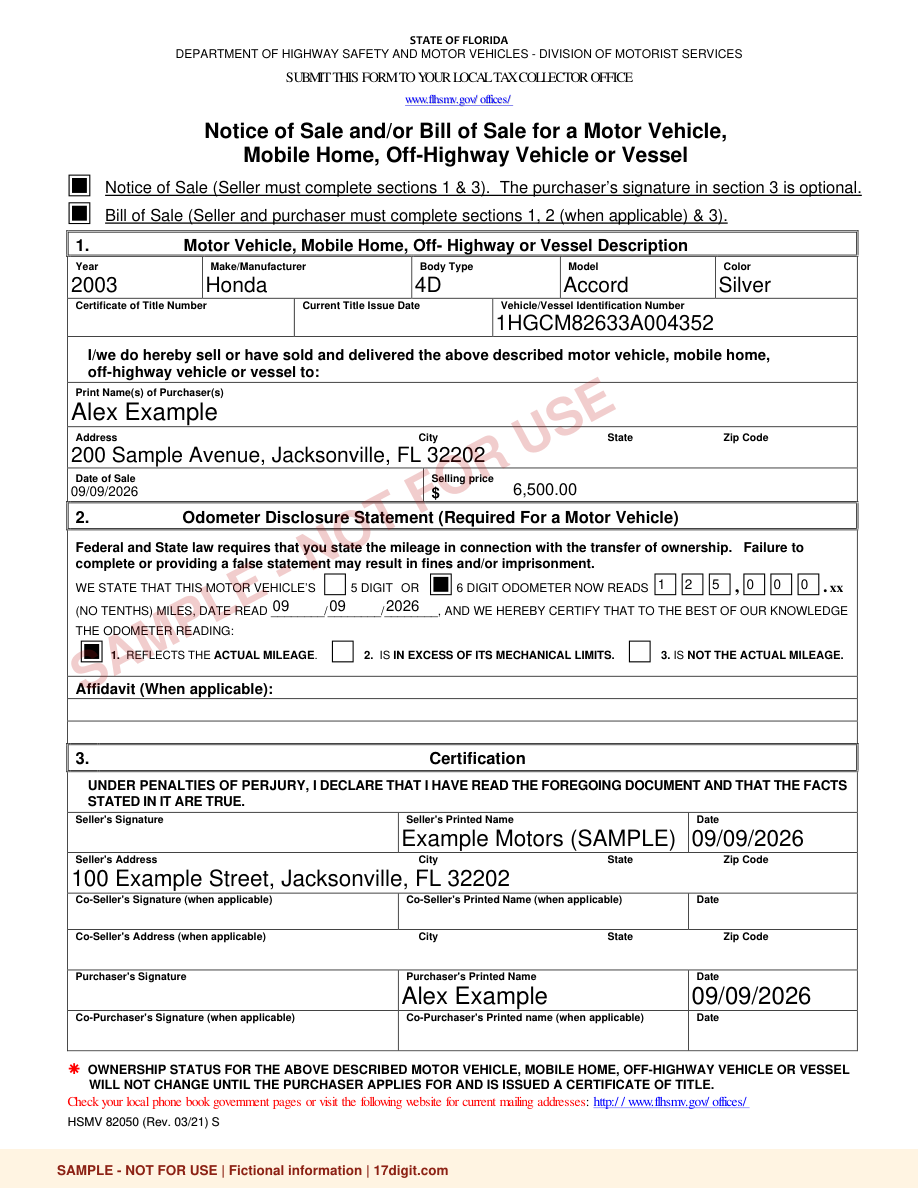 Open the sample Florida deal jacket (PDF)
Start with the transactions you perform
List how vehicles enter inventory, how deals are structured, which state forms are printed, how titles are tracked, how payments are collected, and what must reach accounting. A feature list matters only when it maps to work your dealership performs.
Core features for an independent dealer
Look for VIN decoding, inventory and cost tracking, customer and deal records, state-specific forms, document storage, title status, user permissions, audit history, reporting, and usable exports. BHPH dealers also need payment schedules, collections, receipts, late-fee controls, and compliant customer communication.
Cloud, hosted, and desktop are different
Cloud systems generally favor access from multiple devices and automatic updates. Desktop systems may suit a fixed-location workflow, while hosted versions provide remote access to software that originated on the desktop. Ask what happens during an outage and how backups and updates are handled.
Calculate the complete operating cost
Include the base subscription, extra users or locations, websites, CRM, forms libraries, e-signature, credit or lender connections, valuation tools, payment fees, training, migration, hardware, and cancellation or export charges. A low entry price can still become expensive after required add-ons.
Test the exit before signing
Ask for a sample export of vehicles, customers, deals, documents, payments, and accounting data. Confirm file formats, document availability, export fees, cancellation notice, and how long read-only access remains available after termination.
Frequently asked questions
What is a DMS?
A dealer management system is software used to manage dealership records and workflows such as inventory, customers, deals, forms, titles, payments, accounting, and reporting.
Does every small dealer need a full DMS?
No. A low-volume or wholesale dealer may need forms, inventory, and deal records without advanced CRM, BHPH, or integrated accounting.
What should I test in a demo?
Build one realistic vehicle and deal, print the required forms, correct a mistake, unwind the sale, export the records, and verify user permissions and audit history.
Sources reviewed
Compare the workflow before choosing software.
17digit fills dealer forms from the VIN and sale information. Try your first completed deal free.
Try a deal jacket free →Educational information only, not legal, tax, insurance, zoning, bond, or licensing advice. Confirm current requirements and written vendor terms before filing or spending money.